Non-Covalent Interaction Profiler
NCI-Profiler, a free web-based platform for the rapid analysis and visualization of non-covalent interactions between protein–ligand complexes.
The Non-Covalent Interaction Profiler (NCI-Profiler) is a freely accessible web server for analysing and visualising non-covalent interactions in protein–ligand complexes. It accepts PDB IDs or user-uploaded structures, detects 10 interaction types — including novel XWH bridges and RMS-validated metal coordination geometry — and produces interactive 2D diagrams, detailed tables, and PyMOL sessions in a single click.
Access & Distribution
NCI-Profiler is publicly available with no registration, login, or usage limits. It is a free resource for the structural biology, computational chemistry, and drug-discovery communities.
Development
NCI-Profiler is developed and maintained by its authors and affiliated research group. All algorithms, interaction-detection workflows, and the web interface are original intellectual contributions of the developers.
Data Handling
No user data are stored. Uploaded structures are processed transiently in memory and discarded once the session ends. No files are written to disk or shared with third parties.
Maintenance
The server is actively maintained for reliability, accuracy, and compatibility with standard structural formats (PDB & mmCIF). Updates may be introduced periodically to improve functionality.
Intended Use
NCI-Profiler is intended for research and educational purposes. Users are encouraged to validate results independently for critical applications such as drug design or publication.
Citation
If you use NCI-Profiler in your research, please cite the associated publication: Sharma, R., & Lee, E. Y. (2026). NCI-Profiler: automated protein-ligand interaction detection and visualization
Overview
NCI-Profiler is committed to protecting user privacy. This web server operates without user registration and does not collect, store, or process any personal information.
No Personal Data Collection
NCI-Profiler does not request or collect personally identifiable information of any kind, including names, email addresses, institutional affiliations, or IP-based identifiers.
No Data Storage
All uploaded structures (e.g., PDB files) are processed transiently in server memory for the duration of the analysis session. Upon completion, all submitted data are automatically discarded. No user-uploaded files are written to disk or retained on our servers.
No Tracking or Cookies
This website does not employ cookies, browser fingerprinting, or third-party analytics tools. No mechanisms are used to track, profile, or identify individual visitors.
Data Security
Although no user data are persisted, standard security practices are applied to ensure that all file transfers and computational analyses are handled securely during active sessions.
Third-Party Services
NCI-Profiler does not transmit user-submitted data to any third-party services. All interaction analyses are performed entirely on our servers. External resources are limited to publicly hosted fonts and icon libraries served via CDN.
Policy Updates
This privacy policy may be revised periodically. Any modifications will be reflected on this page.
Contact
For inquiries regarding this privacy policy, please contact the NCI-Profiler maintainers via the information provided on this website.
- Click "+ New Analysis" in the top navigation bar.
- Enter a PDB ID (e.g., 3ERT, 4PHV) and click Fetch, or upload your own PDB file using Browse.
- Select ligands from the detected components list.
- Click Analyse to detect all non-covalent interactions.
Results and output:
- Interactive 2D diagrams — click to expand, drag residues, toggle interaction types.
- Detailed tables — distances, angles, and atoms for each interaction.
- Downloads — PyMOL sessions (.pse), JSON data, and text reports.
Detected interaction types:
- Hydrogen Bonds
- Hydrophobic Contacts
- Salt Bridges
- π-Stacking
- Cation-π / π-Cation
- Halogen Bonds
- XWH Bonds
- Water Bridges
- Metal Coordination
Optional reduction filter:
The "Filter redundant interactions" checkbox applies an 8-rule priority cascade to remove overlapping contacts. Uncheck to see all raw geometric contacts.
Parameter controller:
Click the gear icon next to Analyse to adjust distance and angle thresholds. Use Reset to restore defaults.
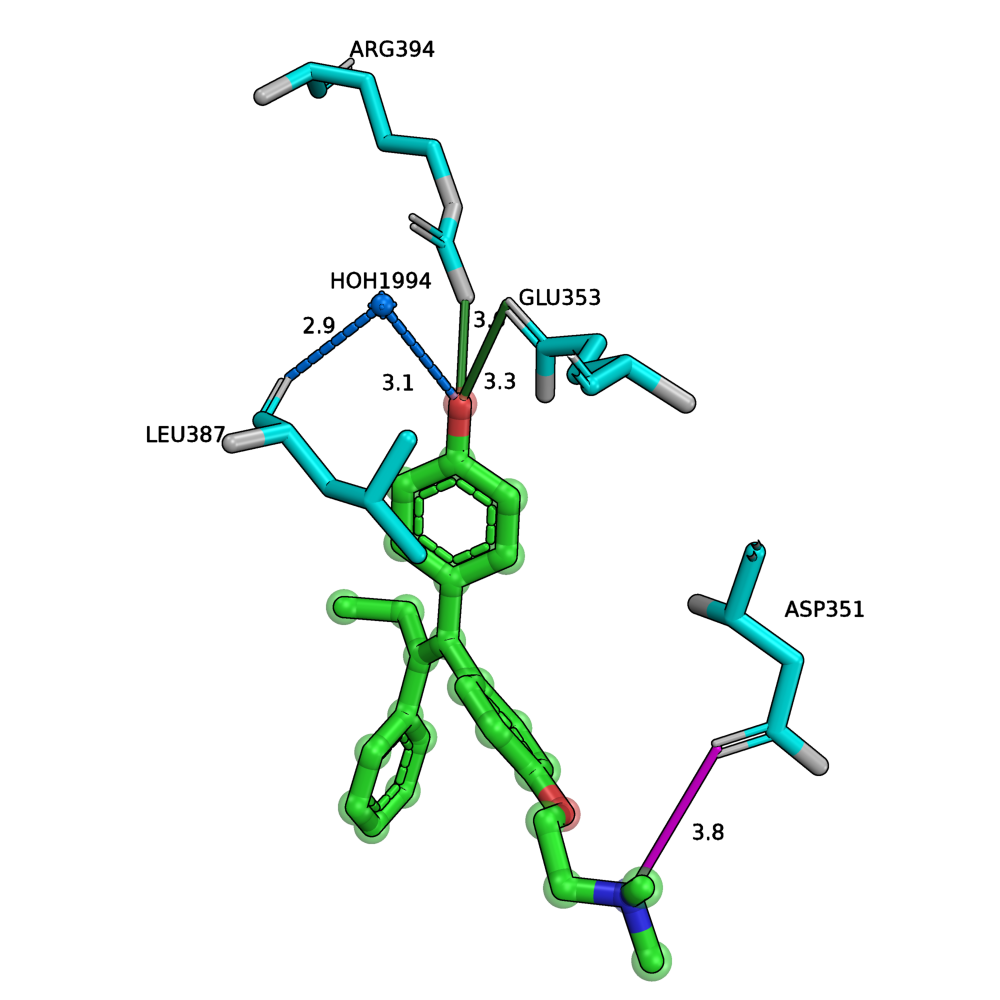 Hydroxytamoxifen with Estrogen Receptor α (3ERT)
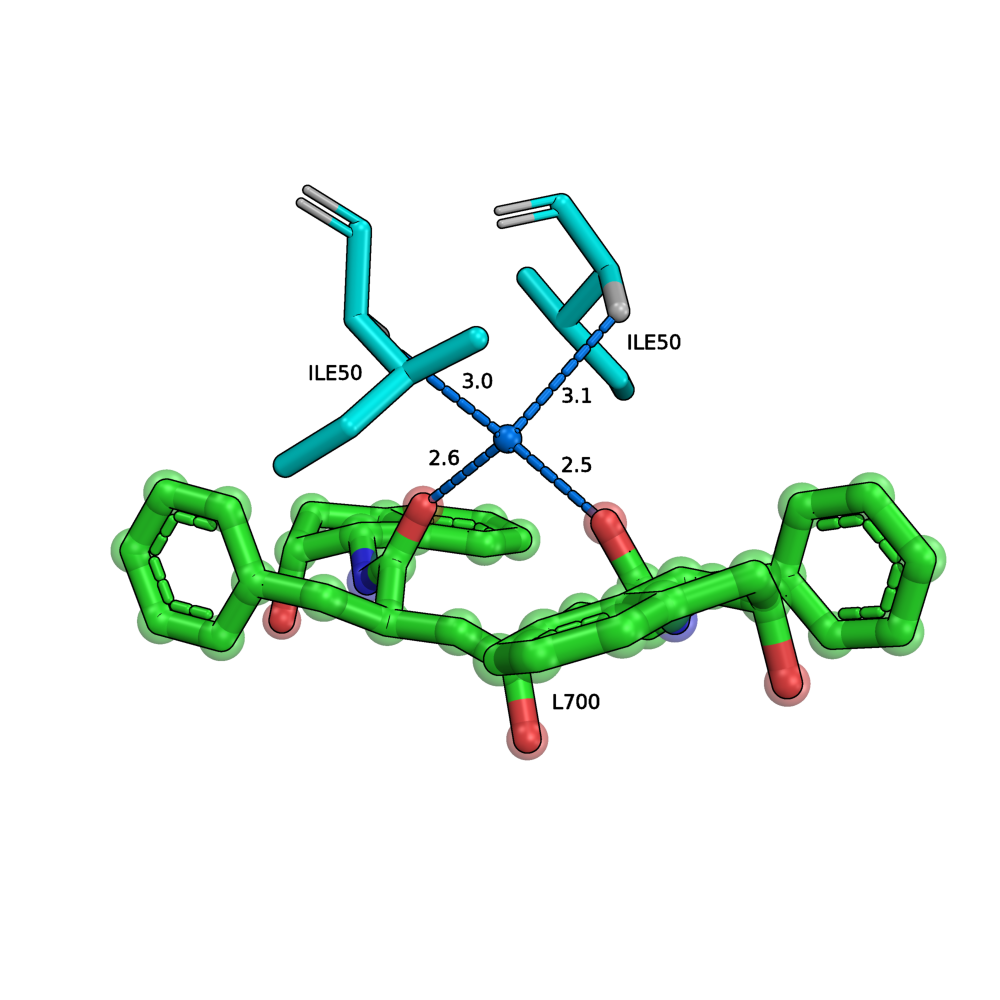 Inhibitor with HIV-1 Protease (4PHV)
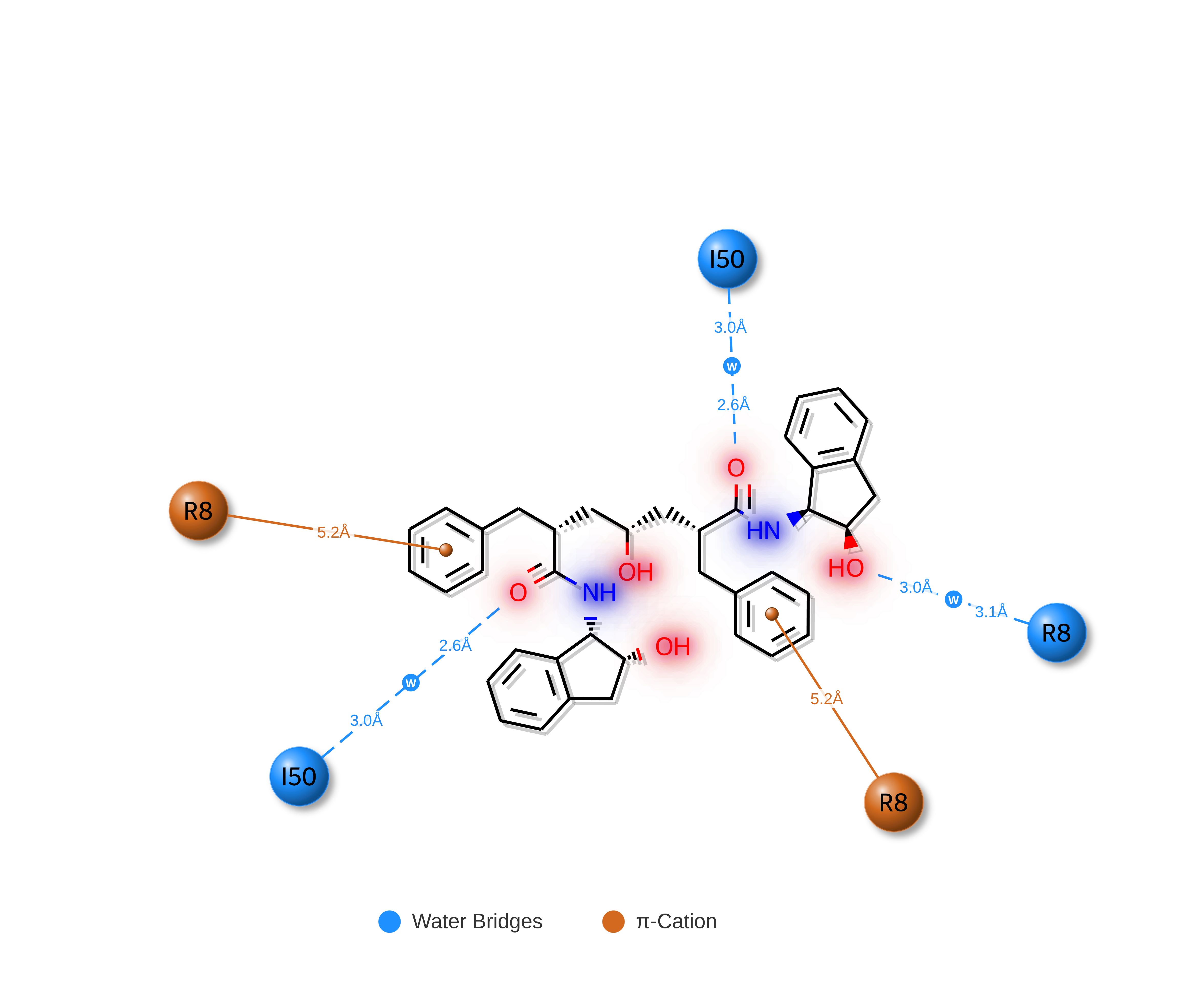 2D Interaction Diagram — HIV-1 Protease (4PHV)
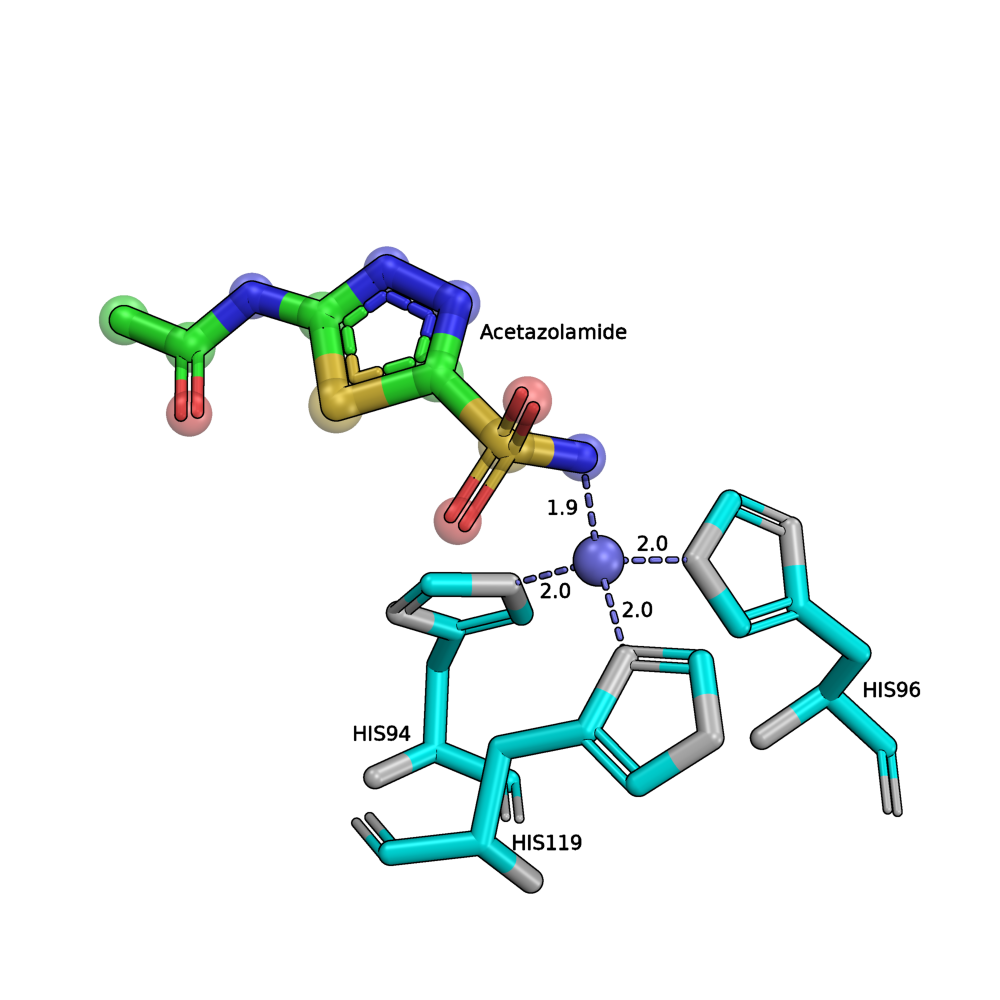 Acetazolamide with Carbonic Anhydrase II (3HS4)
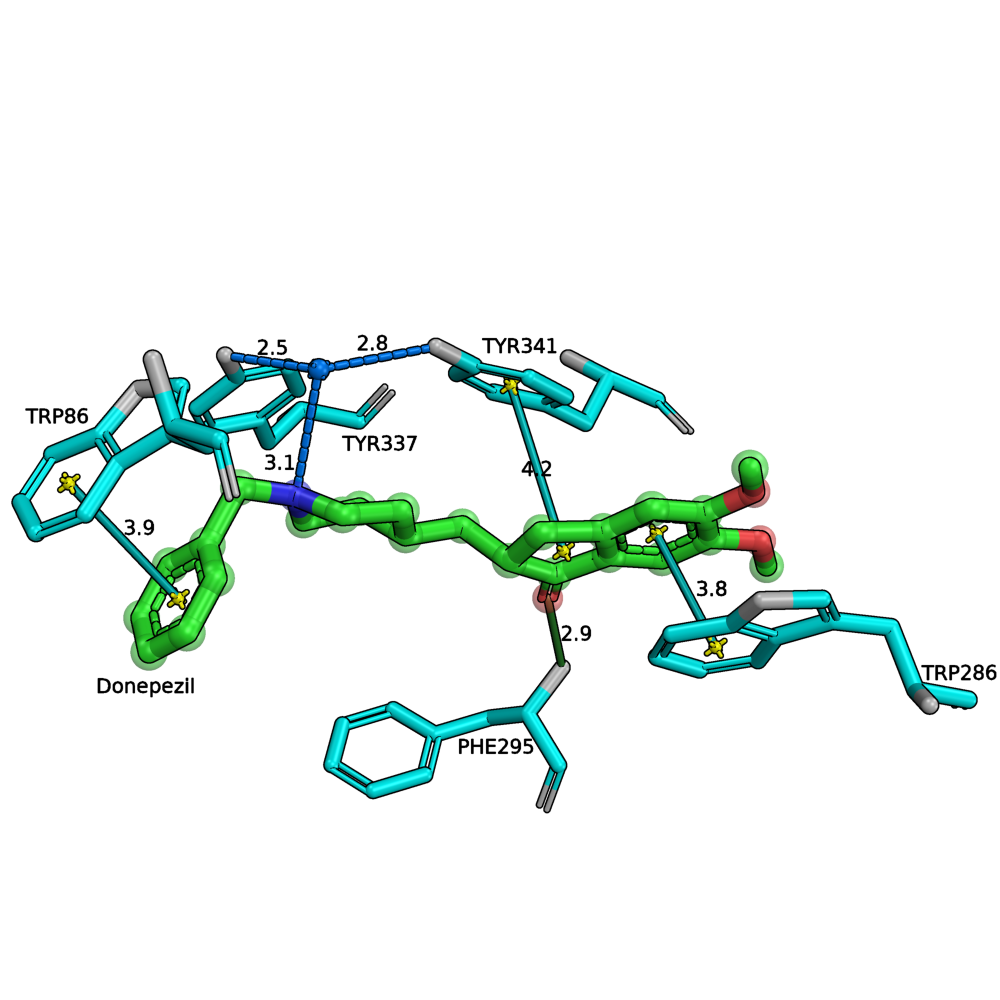 Halogen inhibitor with Factor Xa (4EY7)
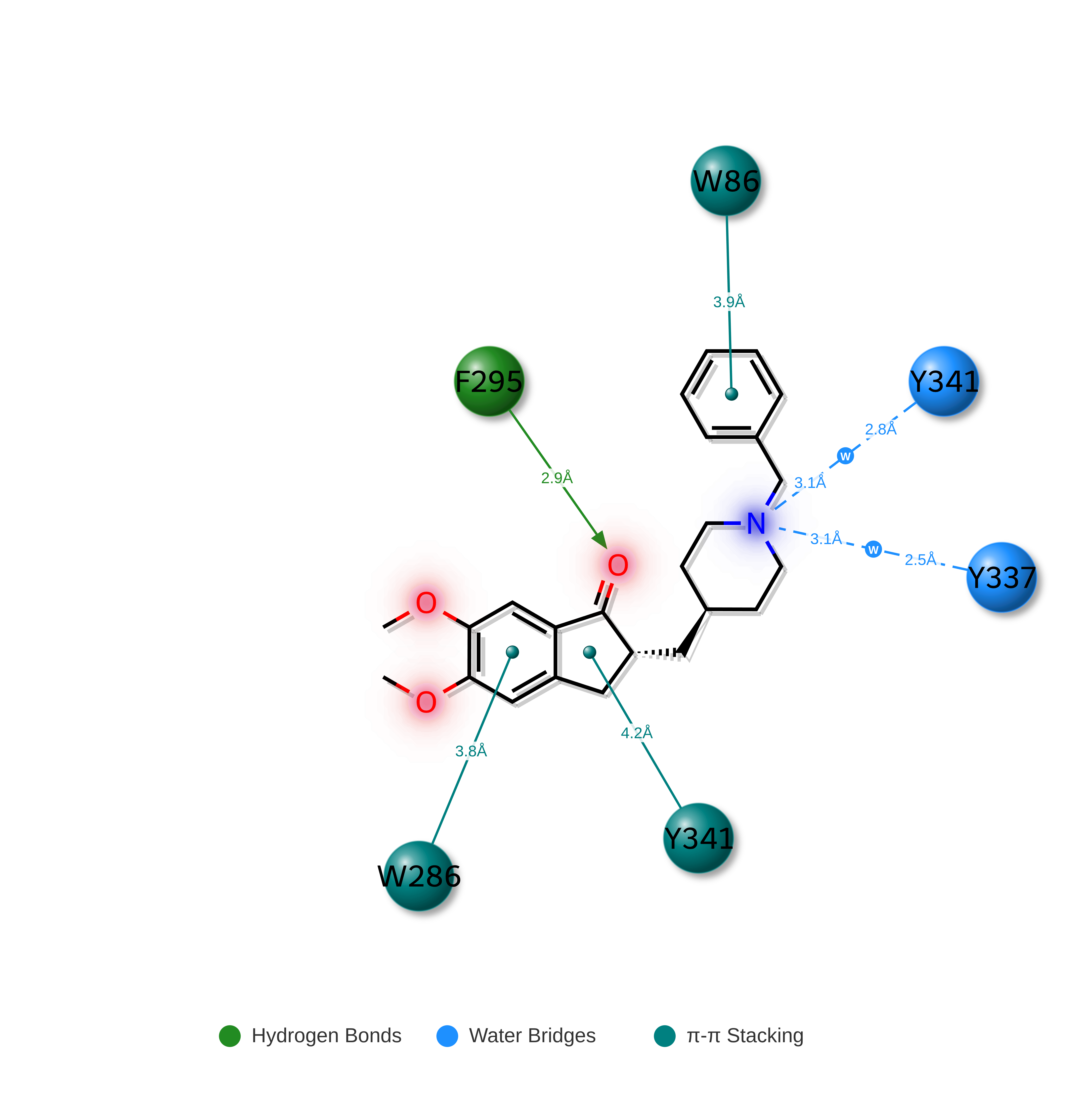 2D Interaction Diagram — Factor Xa (4EY7)
Analyzing interactions...